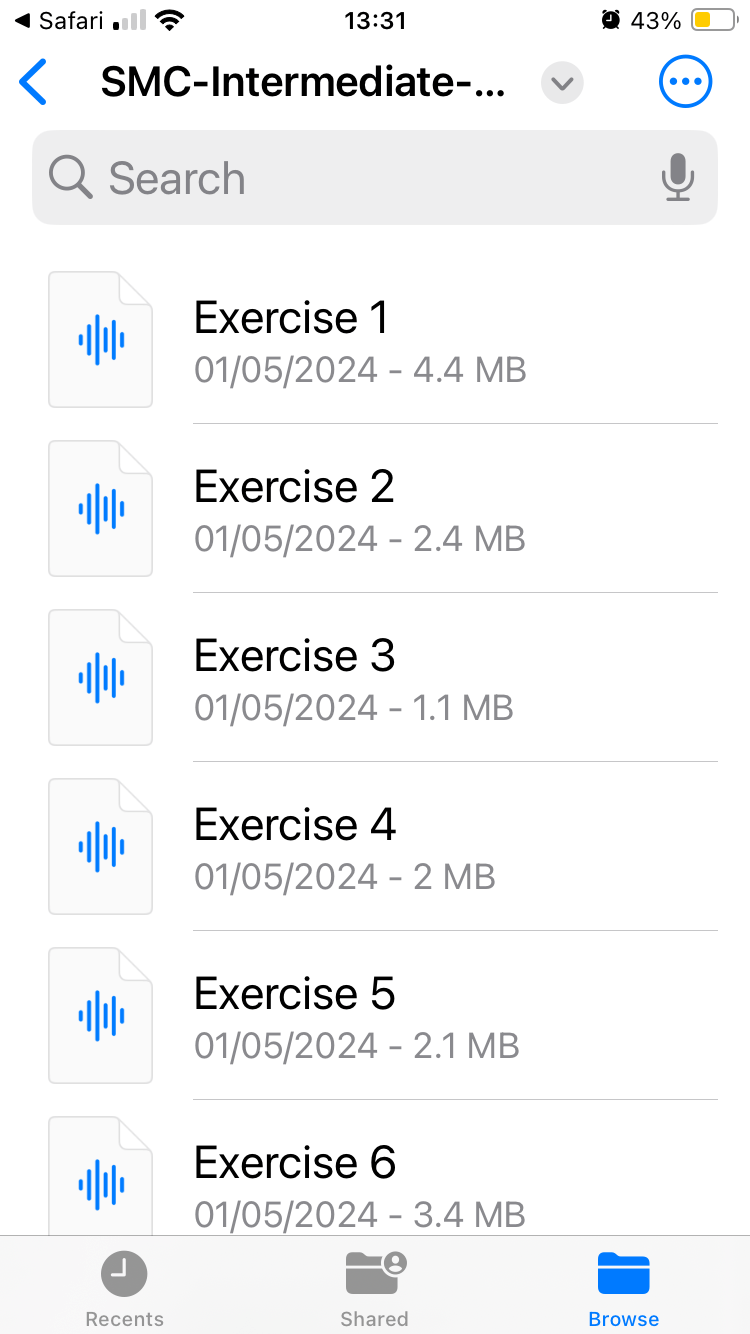
If you have purchased an MP3 album or a Programme of Study will linked MP3 files you should have automatically received an email with a download link.
If you don't have a link you can very easily download your files from your members account area, just follow the instructions below.
If at any time you are unsure how to proceed please contact the office and we will be happy to help.
Tel: 0121 288 4166 - Mon - Fri 10am to 4pm. or raise a support ticket here
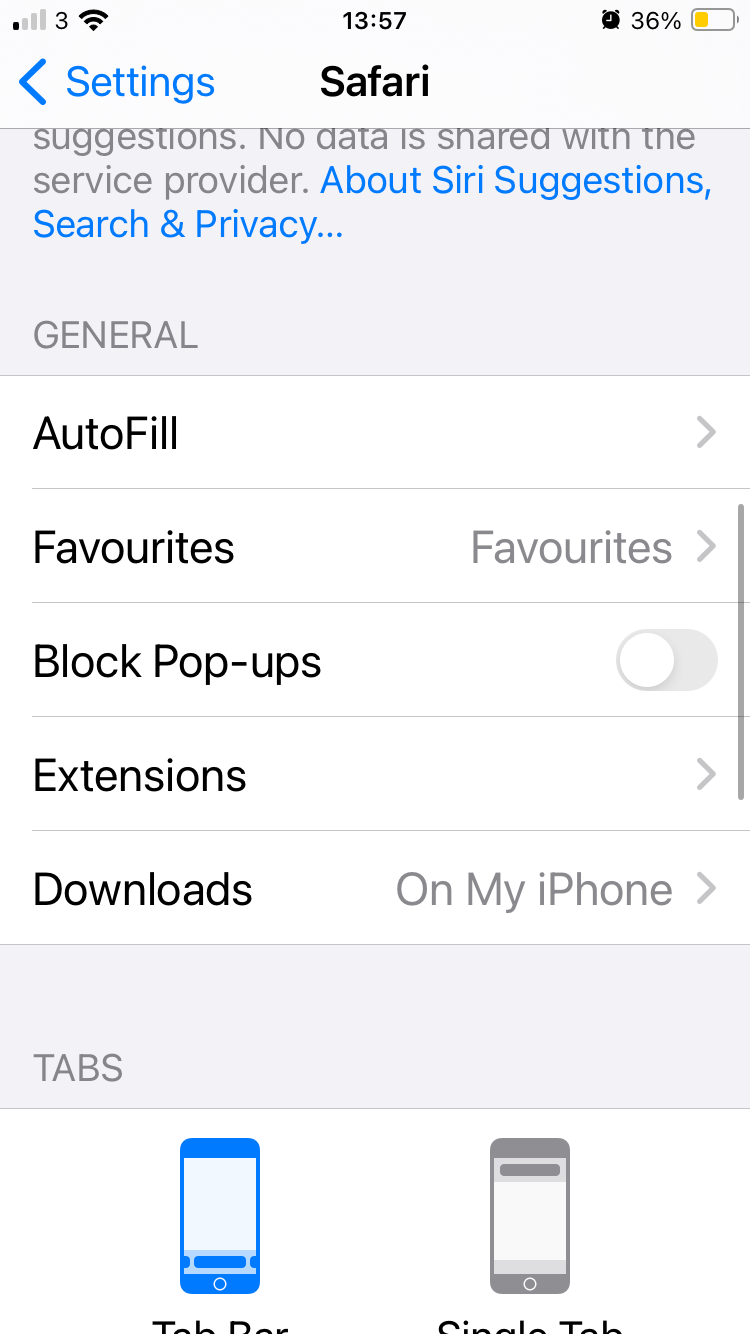
- First check that your iPhone Browser is set to download files to your phone and NOT iCloud. You can check this in 'Settings' - 'Safari' or choose your browser if not Safari.
2. You need to be logged into you member account. Go to my.abd.dance OR here is a direct link login.
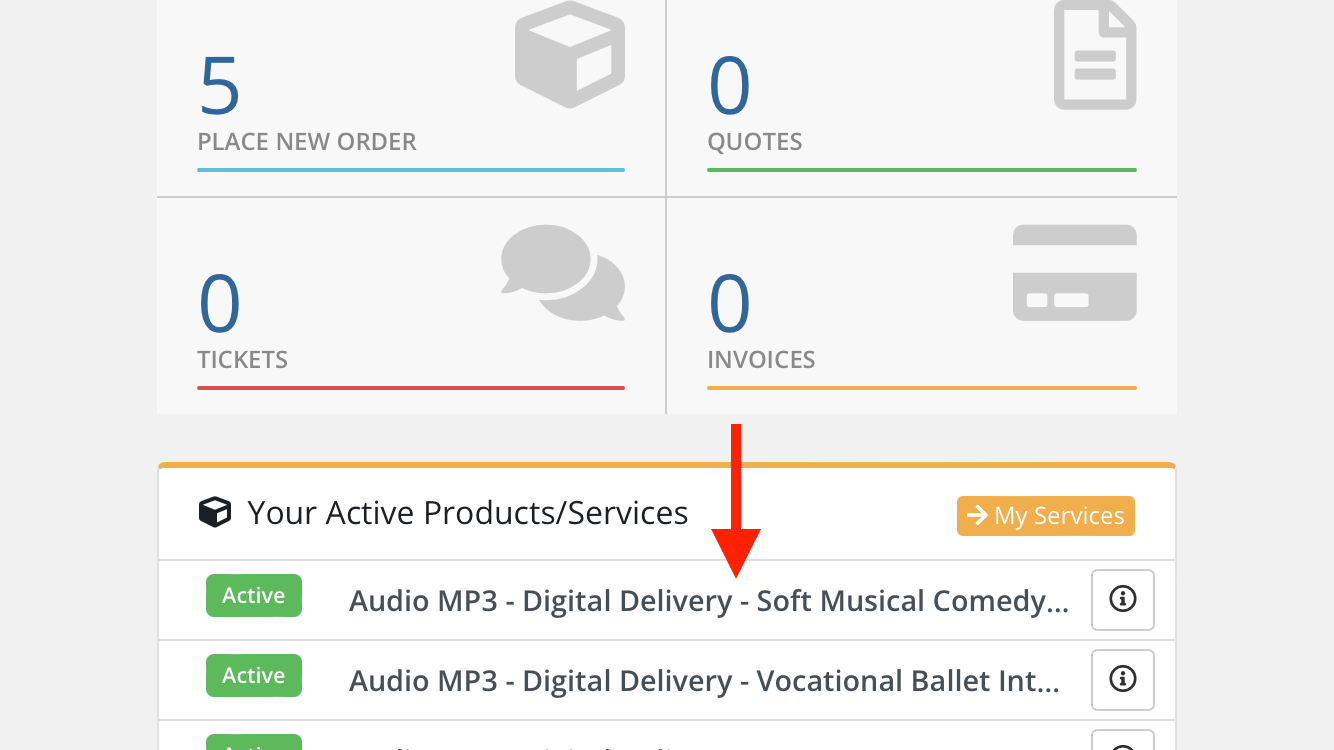
When logged in you will see a list of your active Products & Services. Click on the recently purchased MP3 link.
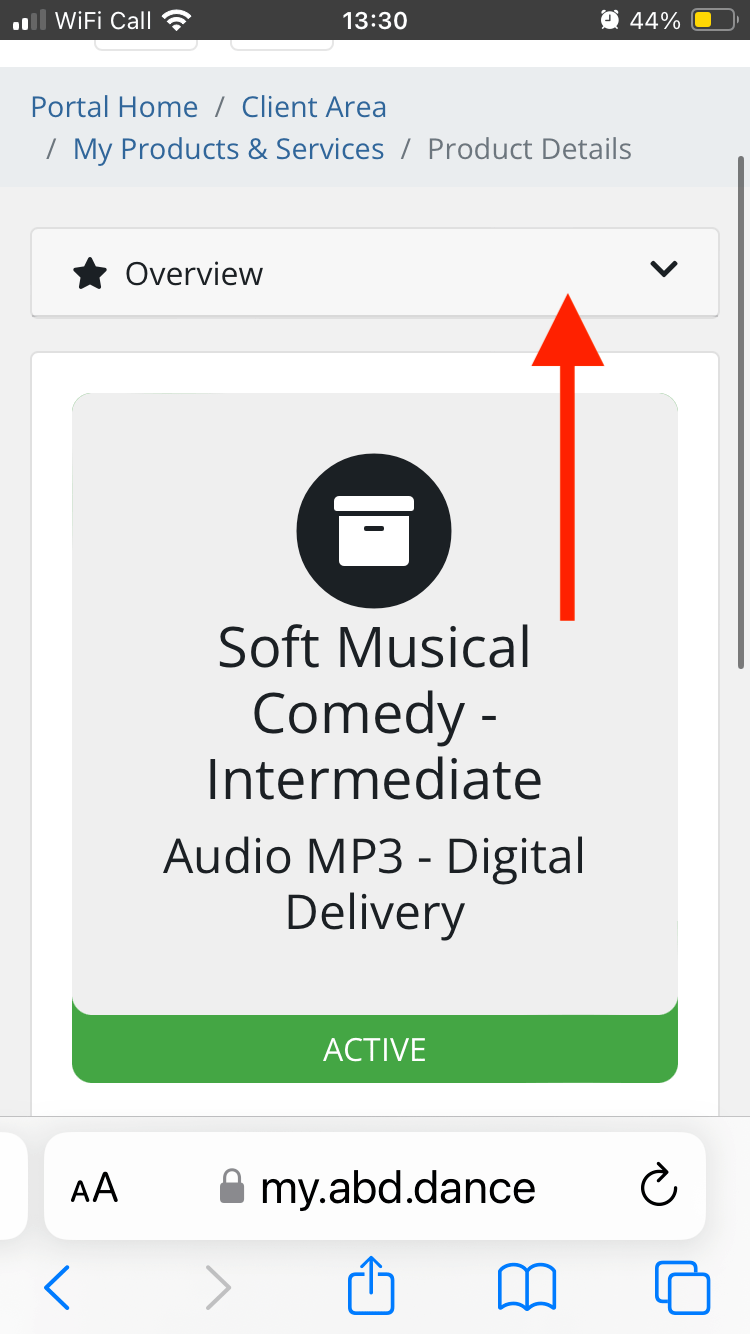
3. Then Click the dropdown menu 'Overview' - follow the arrows on the following screen shots.
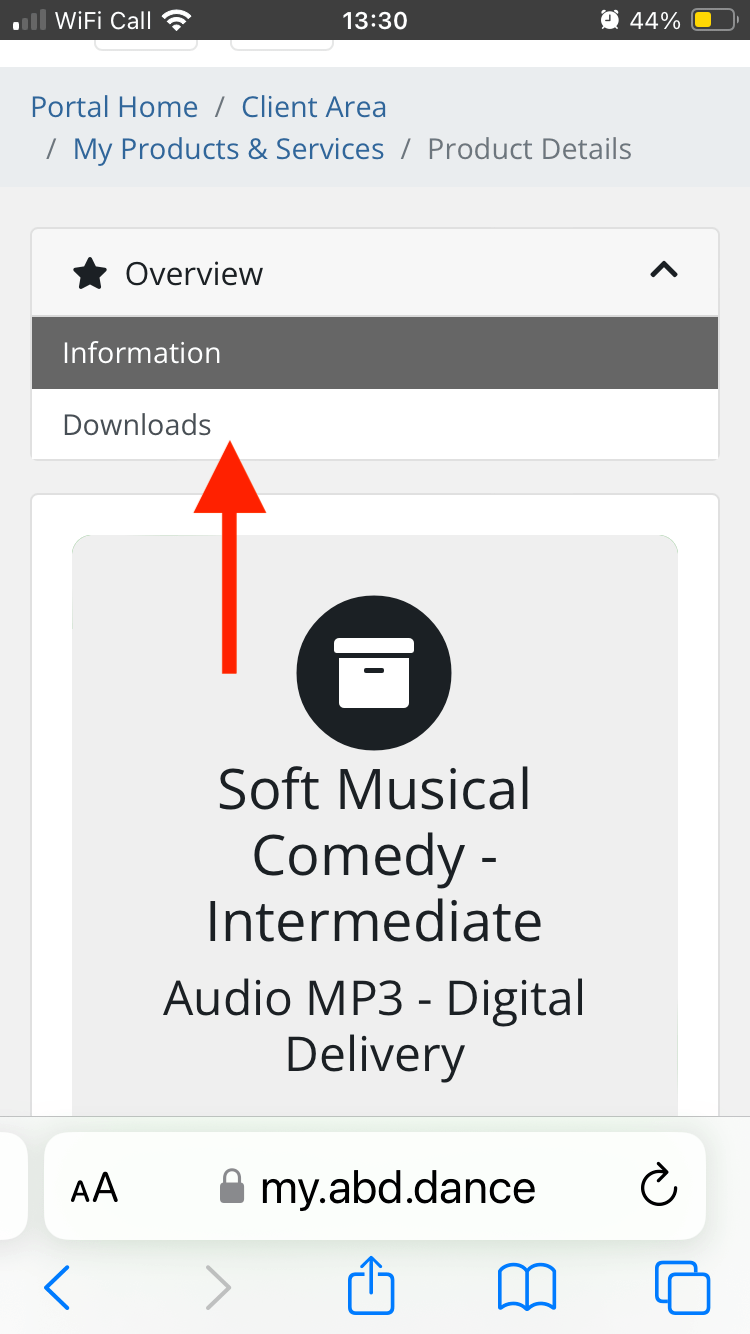
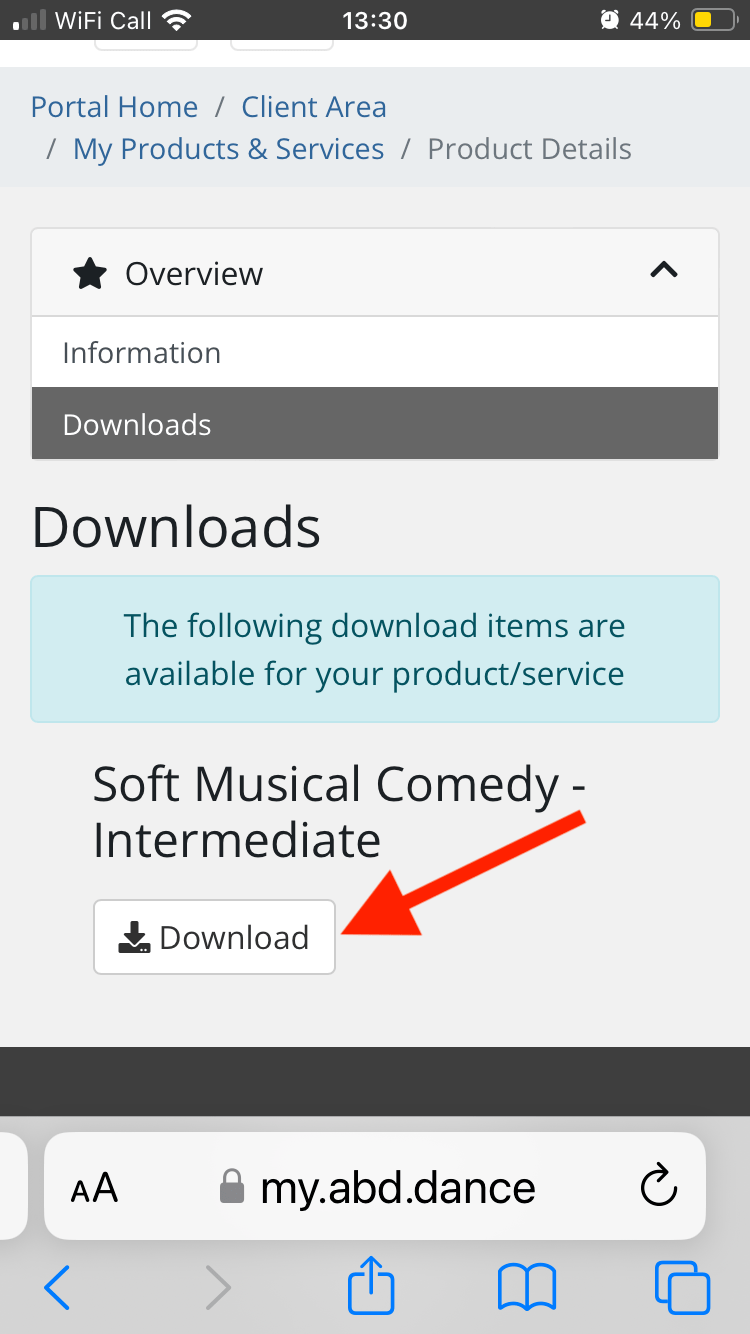
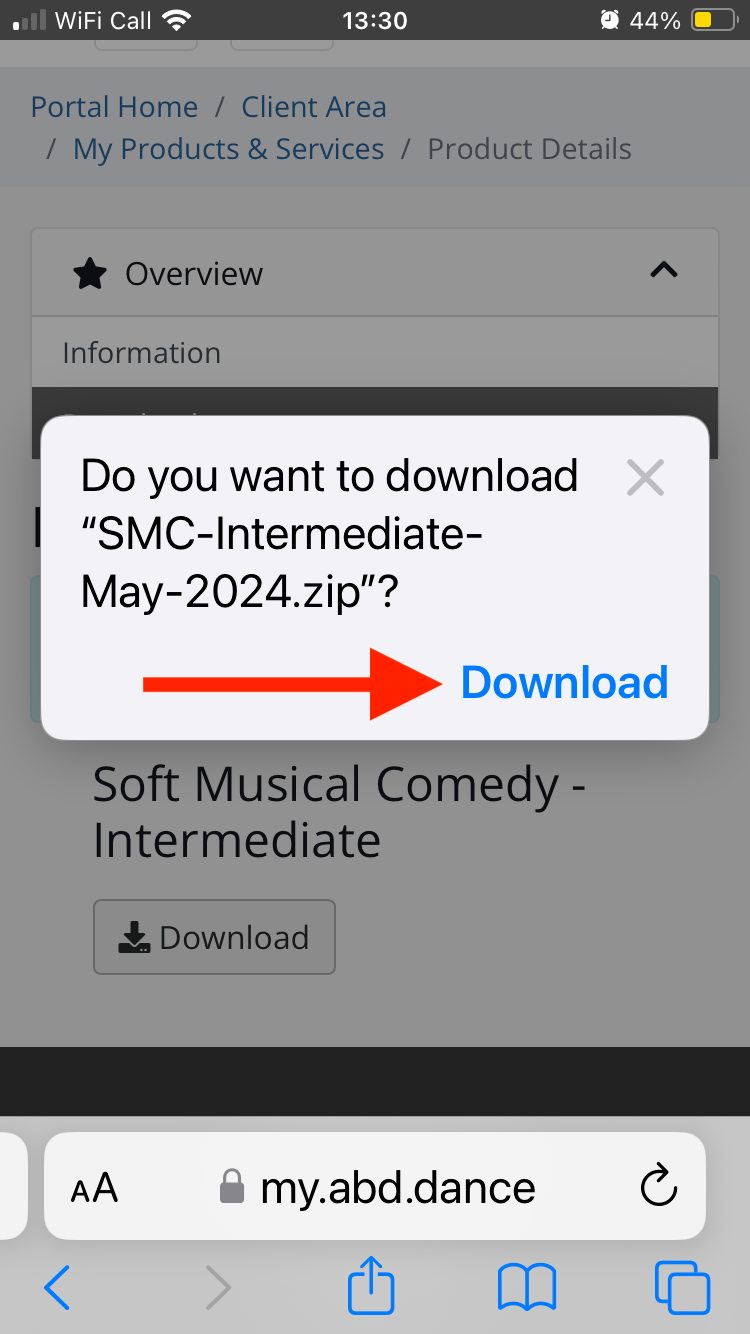
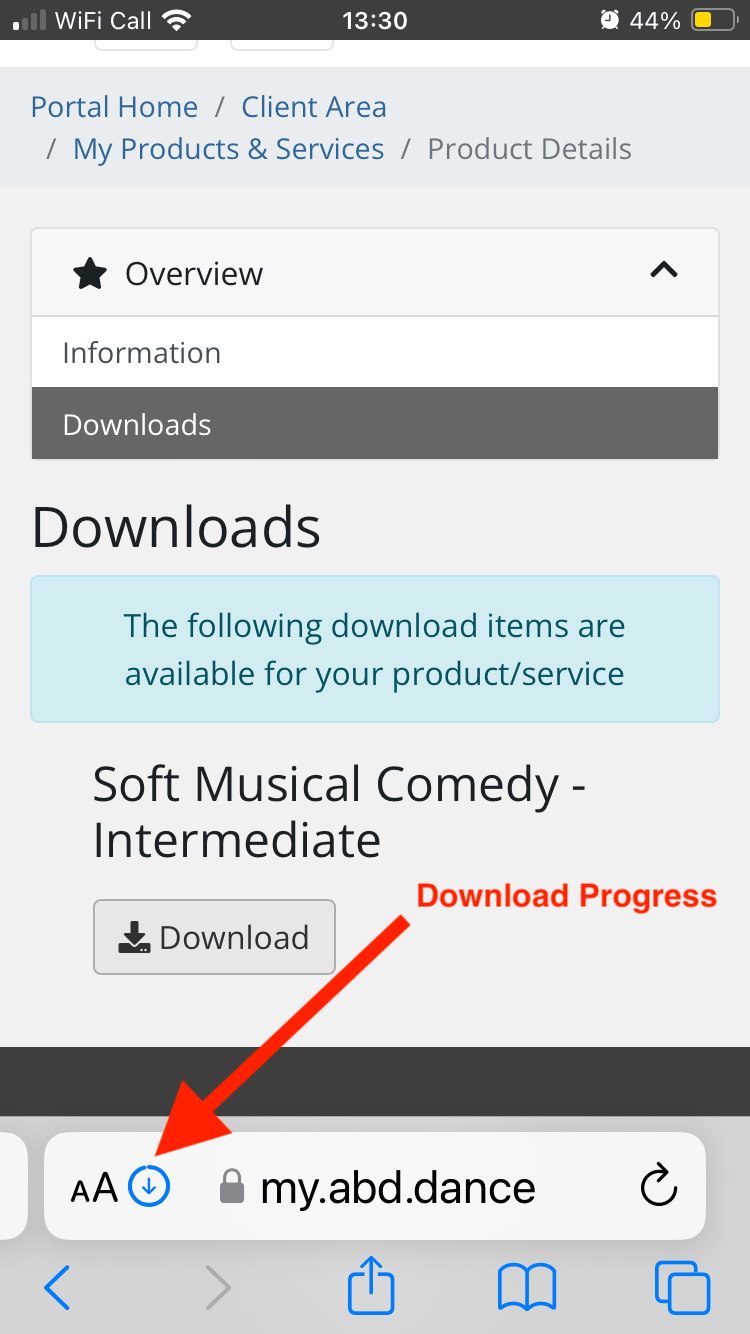
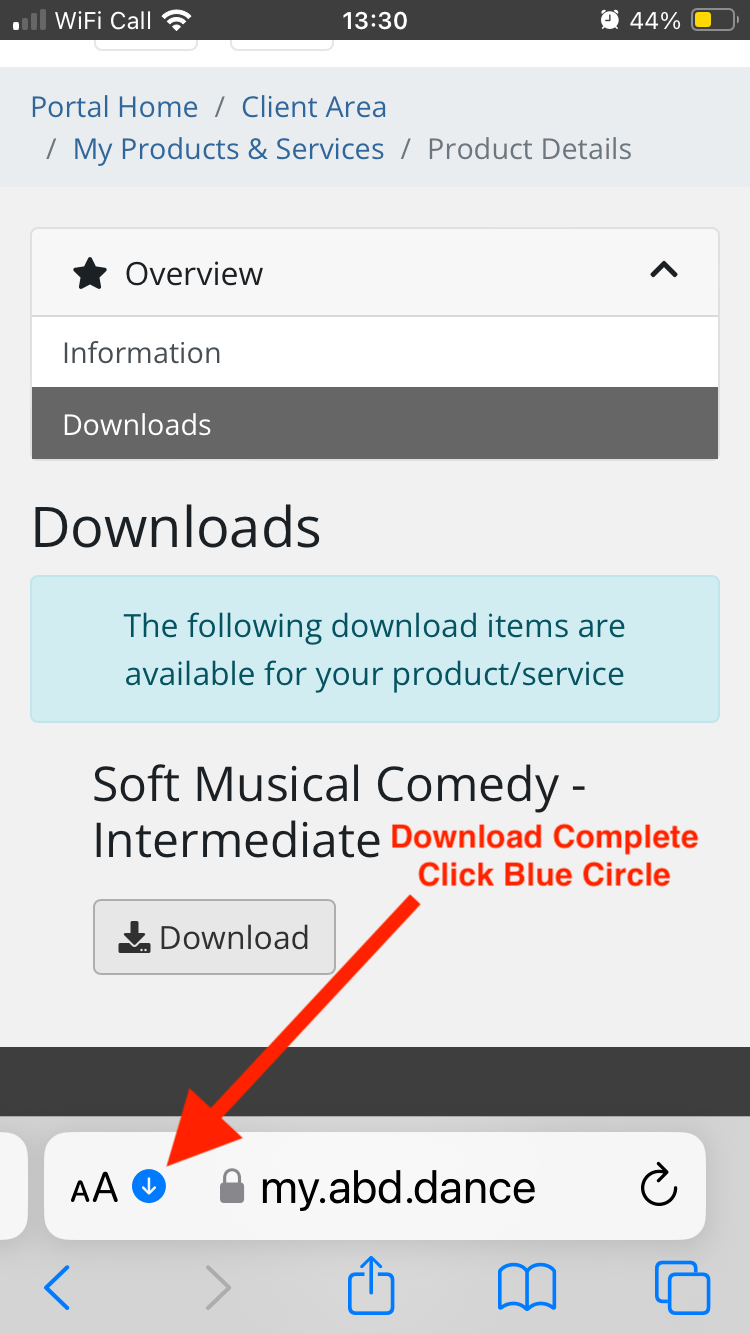
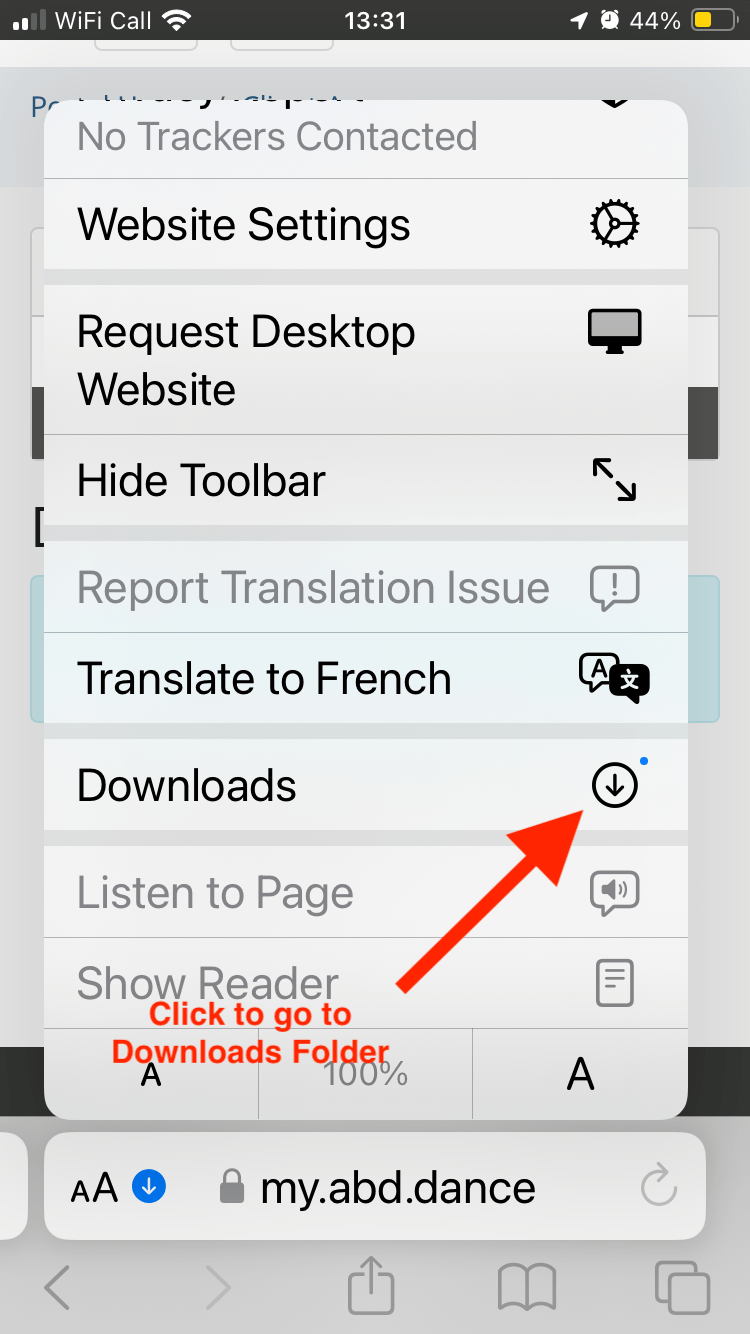
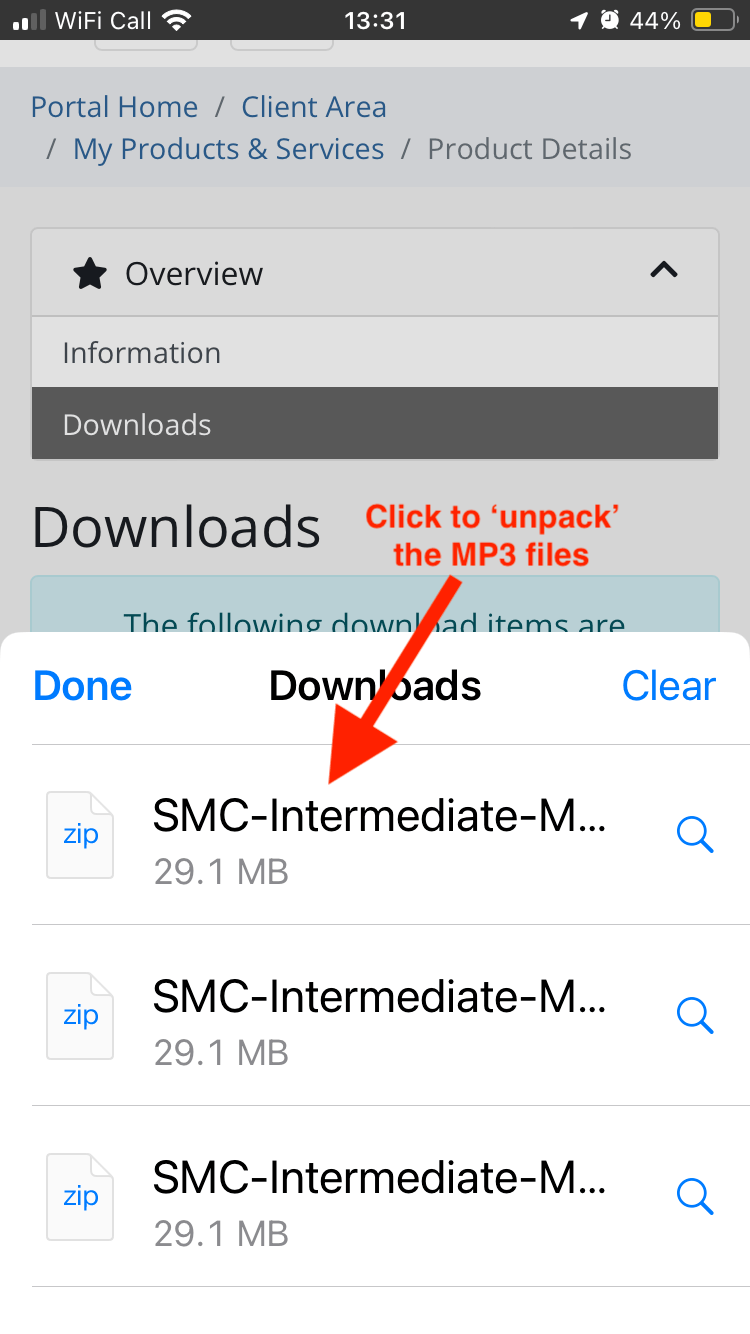
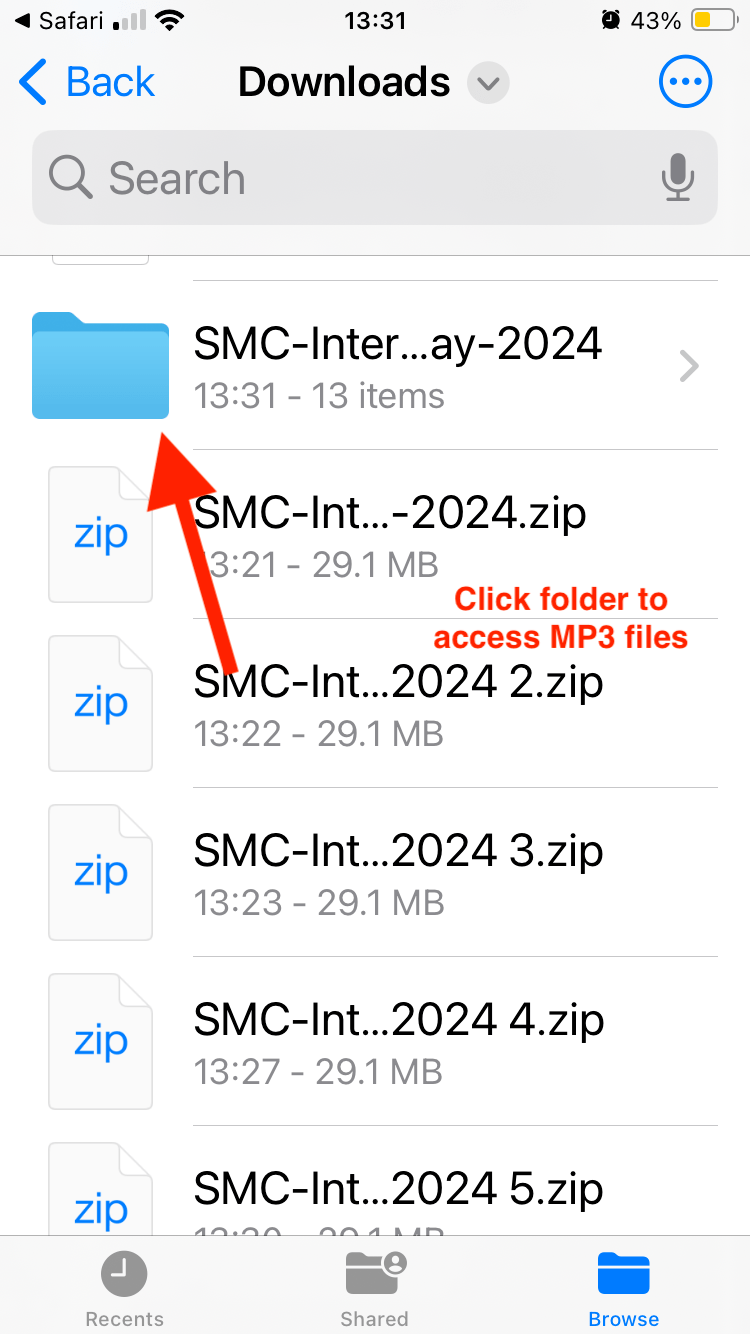
The Album is now stored and can be found in the future in your Downloads folder on your iPhone. You can always find this folder by clicking the 'FILES' icon / App on your phone.